


Ajax Infinite Scroll for WooCommerce
Leave behind the default method to manually navigate the products using boring pages and adopt the user-friendly method of loading products as the customers scroll your shop page.
Highlights
- Quickly load products with Infinite Scroll, a Load More button, or Ajax Pagination
- Add multiple loading effects, custom icons, or your own images
- Customize the Load More and Scroll to Top buttons
- Exclude specific categories, tags, and pages from infinite scrolling
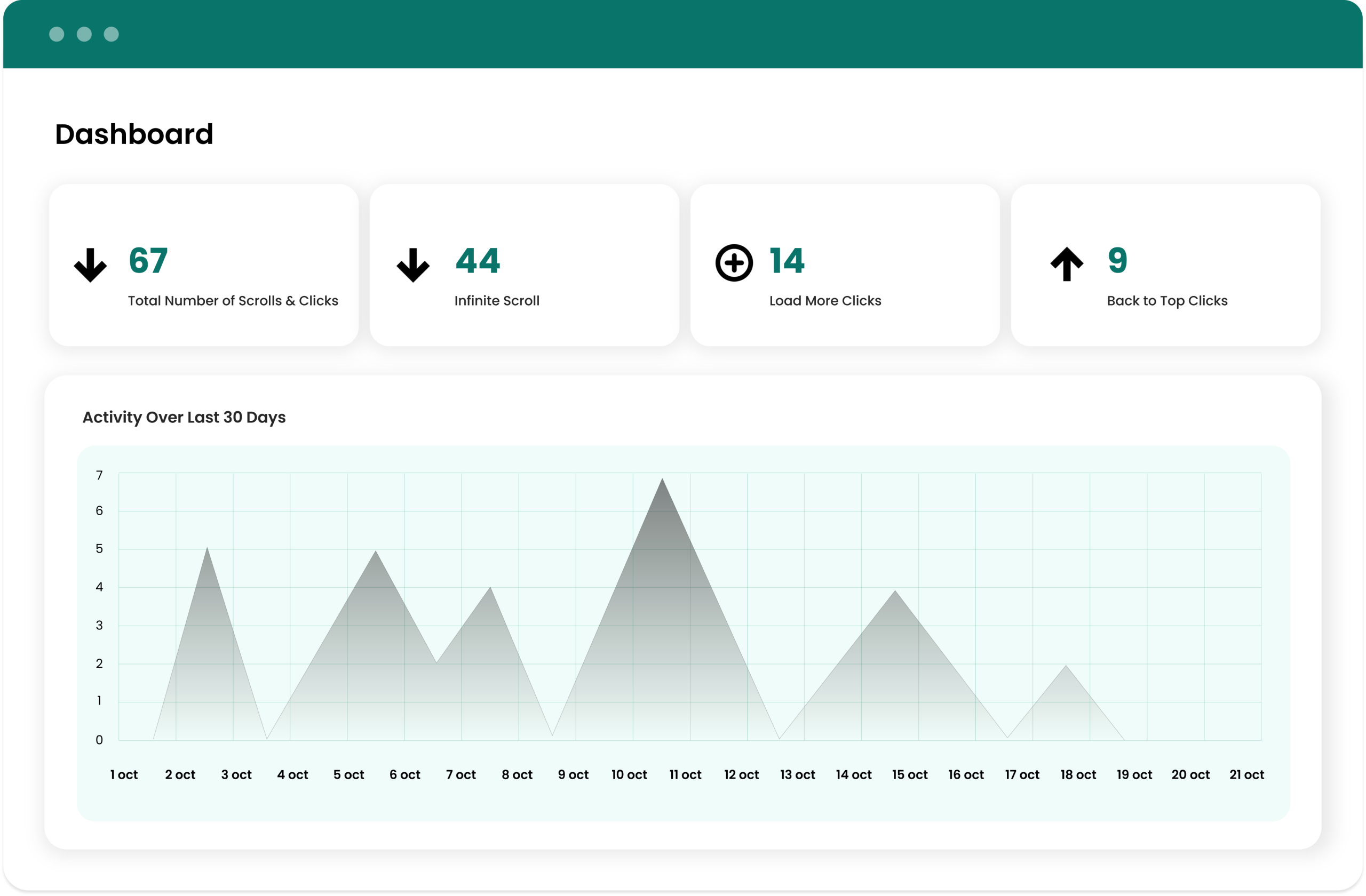
- Track customer scrolling and button clicks with built-in dashboard analytics
- View detailed features
The WooCommerce Ajax Infinite Scroll extension loads more products as customers browse, making shopping faster and easier. Simply choose from three loading options: Infinite Scrolling, a Load More button, or Ajax Pagination. This gives customers an easy way to explore your products and find exactly what they need.
Make browsing even easier by customizing the loading icon and Load More button text to match your store. You can also add a Scroll to Top button so customers can quickly return to the top of long product lists. It offers you built-in dashboard analytics that help you track how customers use the scrolling feature, click the Load More button, and return to the top of the page. Use these insights to better understand how customers browse your store.
Simplify Shopping with Smarter Navigation
The WooCommerce Ajax Infinite Scroll plugin makes shopping easier by providing smarter navigation. Customers can quickly browse through products without waiting for pages to reload. Whether they scroll down or click to load more, the experience stays smooth, making it easier for them to find what they’re looking for faster. This helps improve the overall shopping experience and encourages customers to purchase more, which generates revenue.
Detailed Features of Ajax Infinite Scroll for WooCommerce
Flexible Scroll Settings to Speed Up Product Loading
The WooCommerce Ajax Infinite Scroll plugin makes shopping easier by allowing customers to browse products without reloading the page. You can choose how products load, whether customers scroll down, click to load more, or move through page numbers. This helps customers to find what they are looking for, which can improve their shopping experience.
-
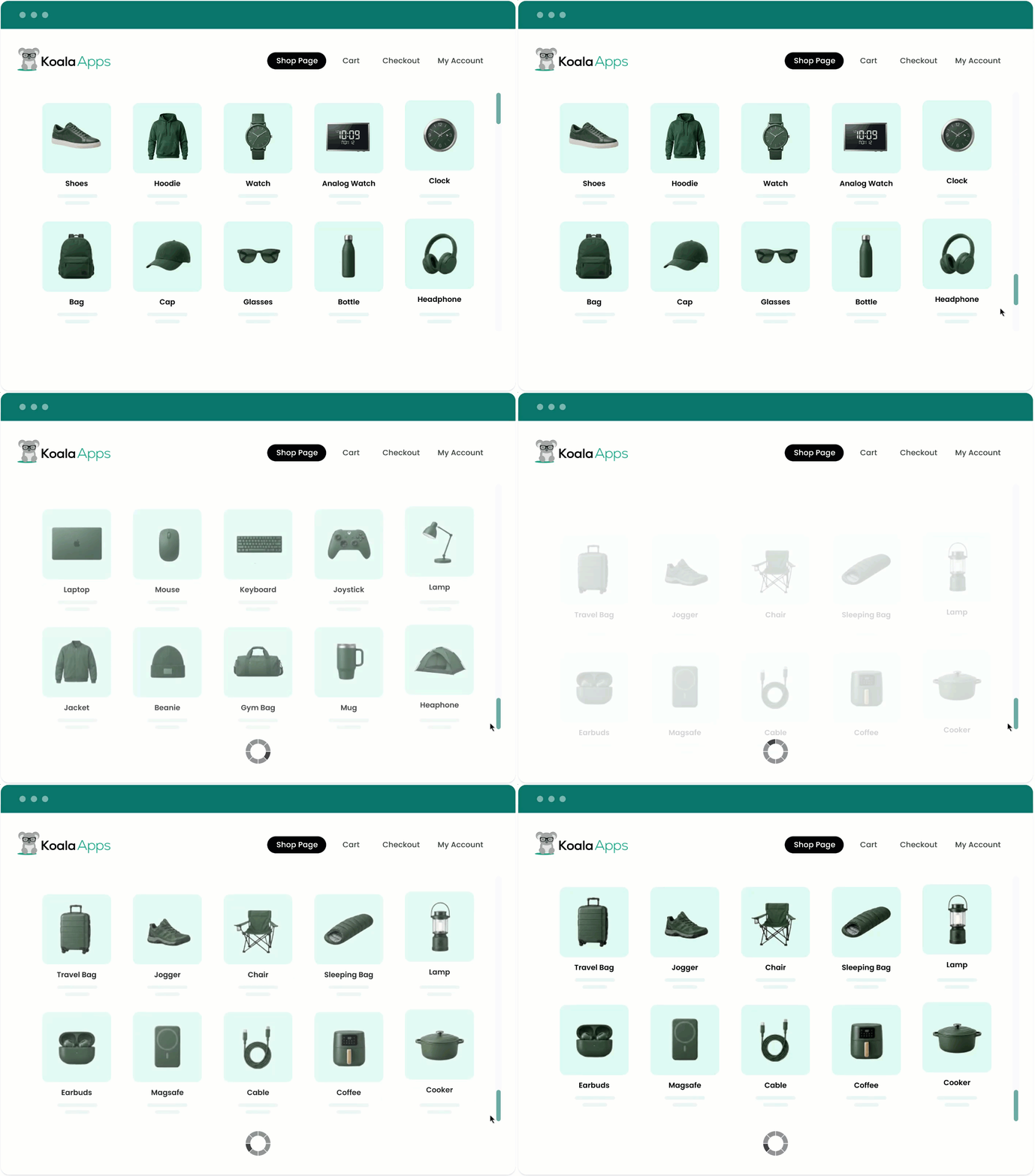
Infinite Scrolling
Load products automatically as customers scroll down the page. The products load according to your settings without slowing down your website.
-
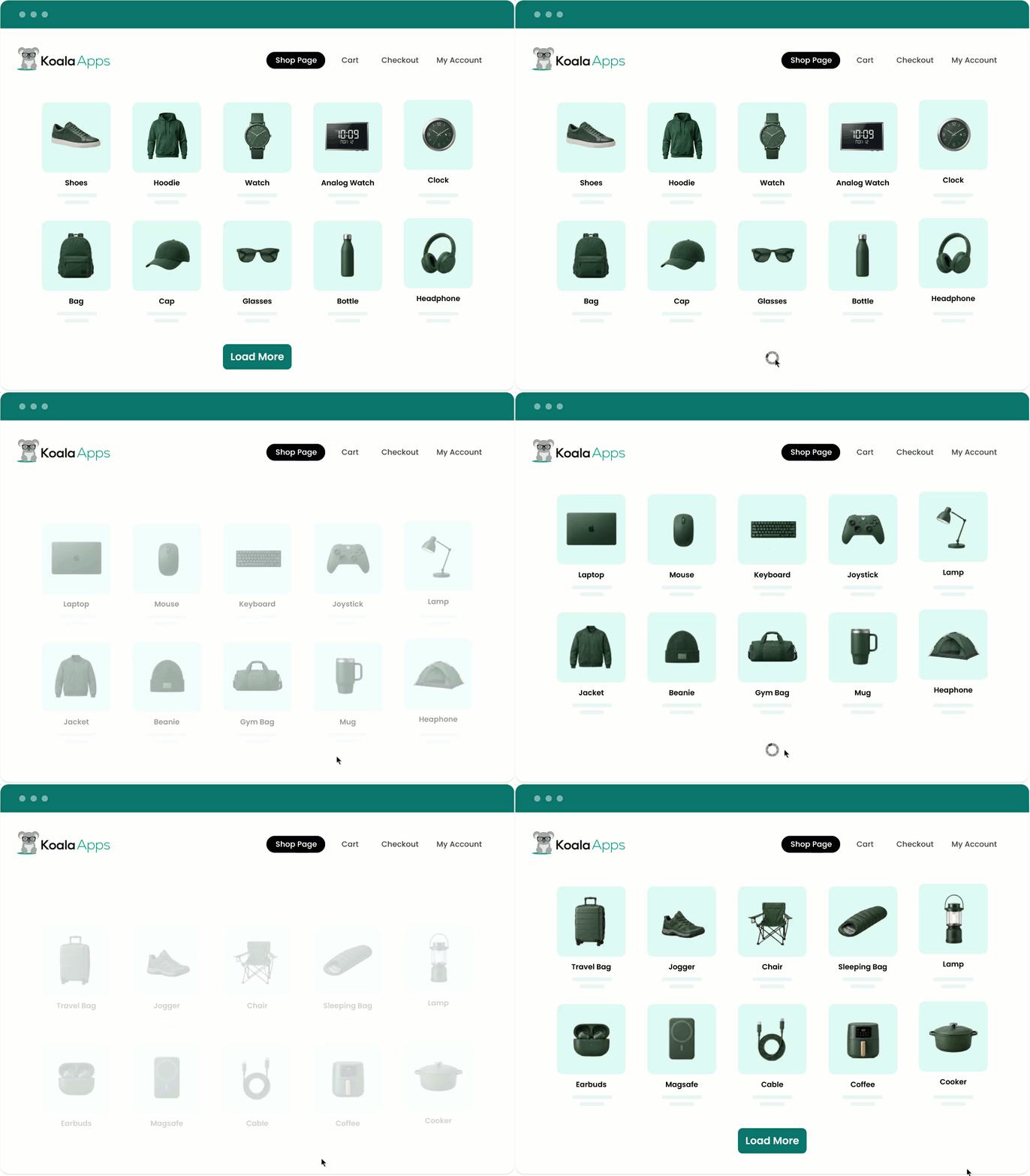
Load More Button
Customers can view more products with just one click. The page does not reload, making shopping faster and easier.
-
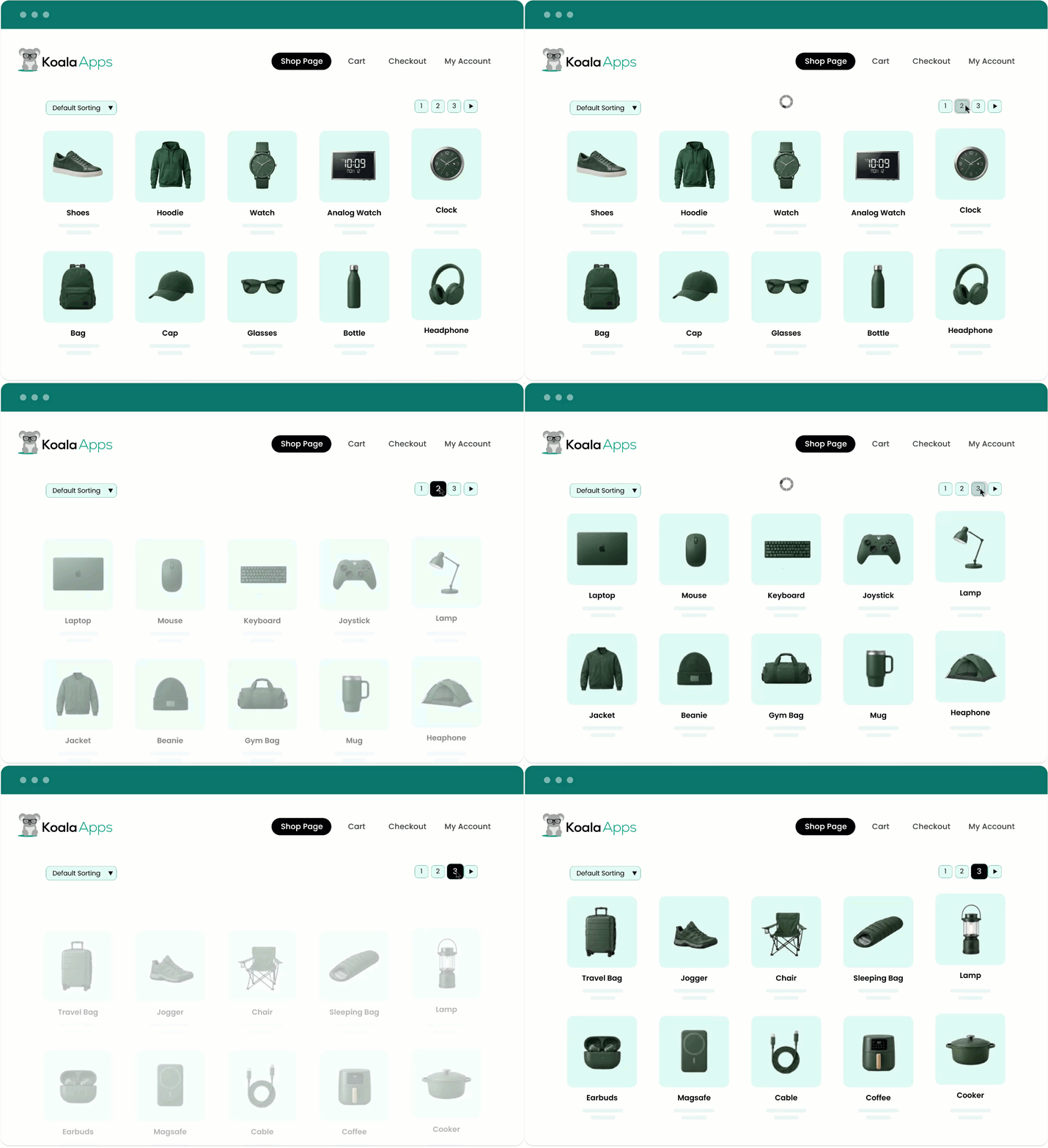
Ajax Pagination
Customers can click a page number to see the next set of products without reloading the page. Page numbers stay visible, making it easier to browse products.
Engaging Loading Effects & Icons
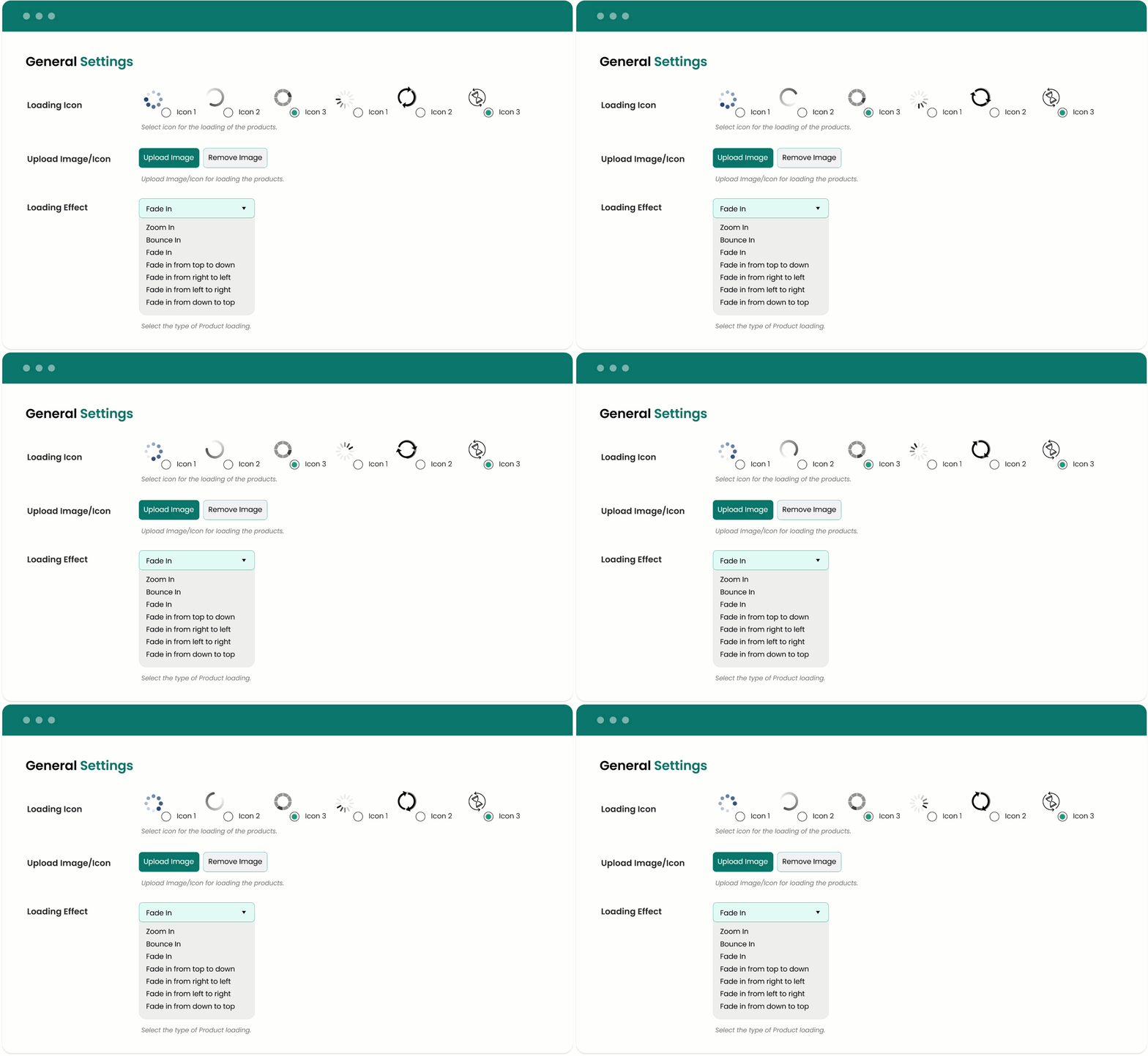
Make your store more appealing by choosing from loading effects such as Zoom In, Bounce In, and Fade In. You can also choose a built-in loading icon or upload your own image. The custom loading icon can give your store a unique look while products load.
Style Load More Button
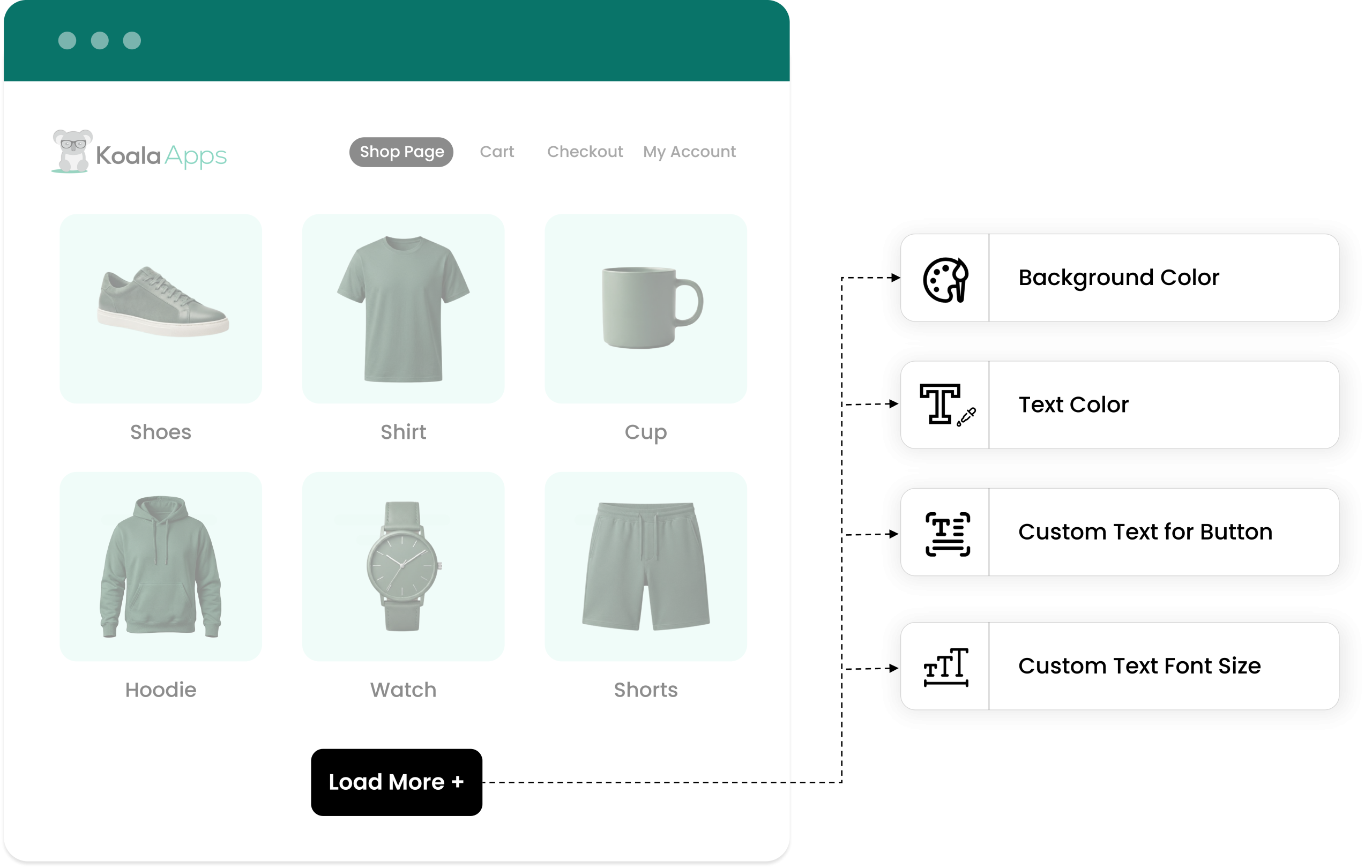
- Make the Load More button look that perfectly matches your store’s theme. Customize the:
- Background Color: Select a custom background color according to your store theme.
- Text Color: Choose a text color that is clear and looks good with the background
- Custom Text: Edit the button label to match your store’s style and encourage clicks
- Font Size and Position: Adjust the size and placement for a consistent, polished design
Control Where Infinite Scroll Works
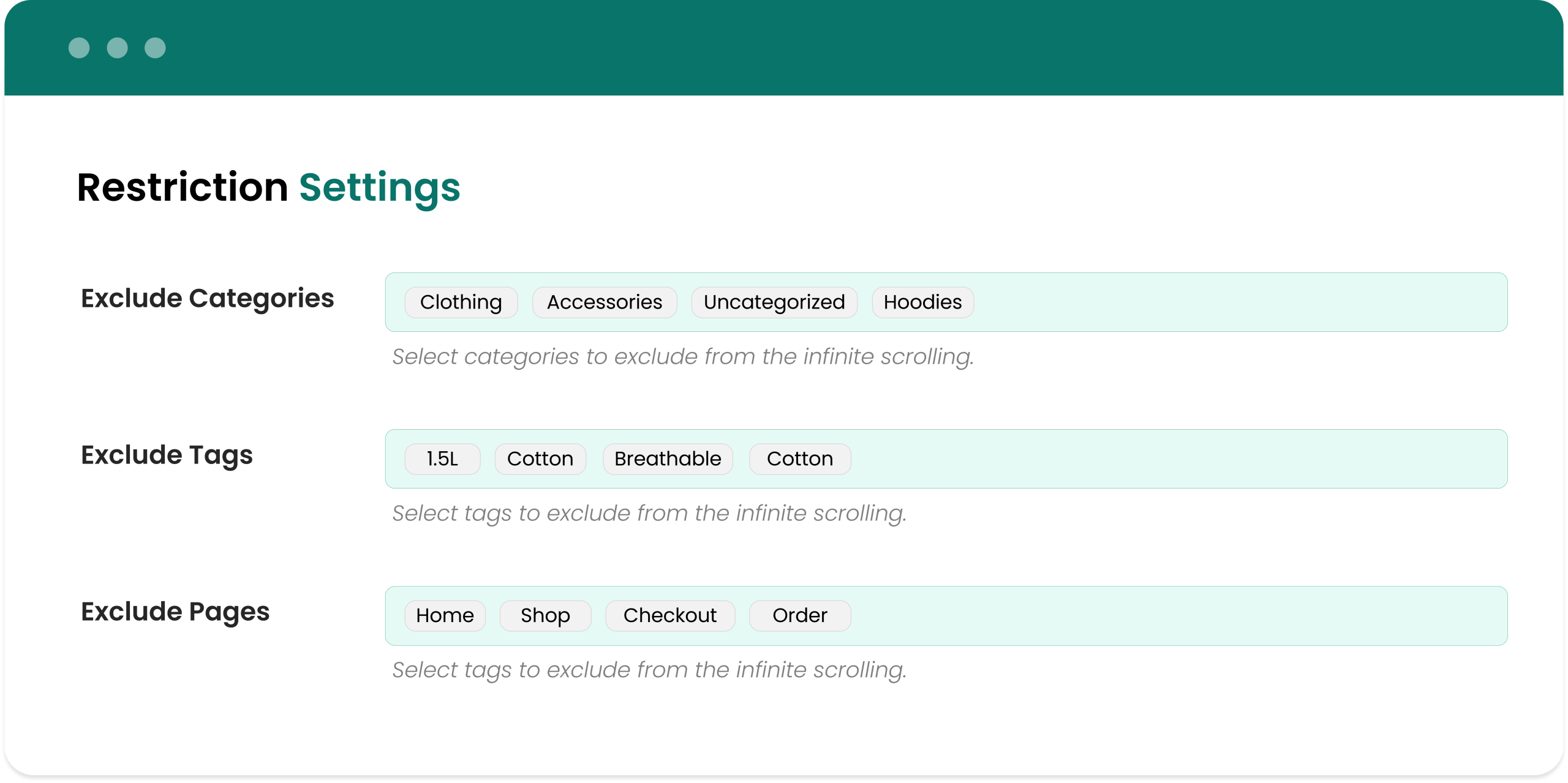
Take full control over where infinite scrolling appears by excluding specific categories, tags, and pages, so it loads only where you want it.
Example: You can exclude categories like “Clothing” or “Sweatshirt,” tags like “Velvet” or “Large Size,” or pages like “Shop” or “Product Search.” This keeps your store organized and gives customers a smooth shopping experience.
Enable Infinite Scroll for Post Type
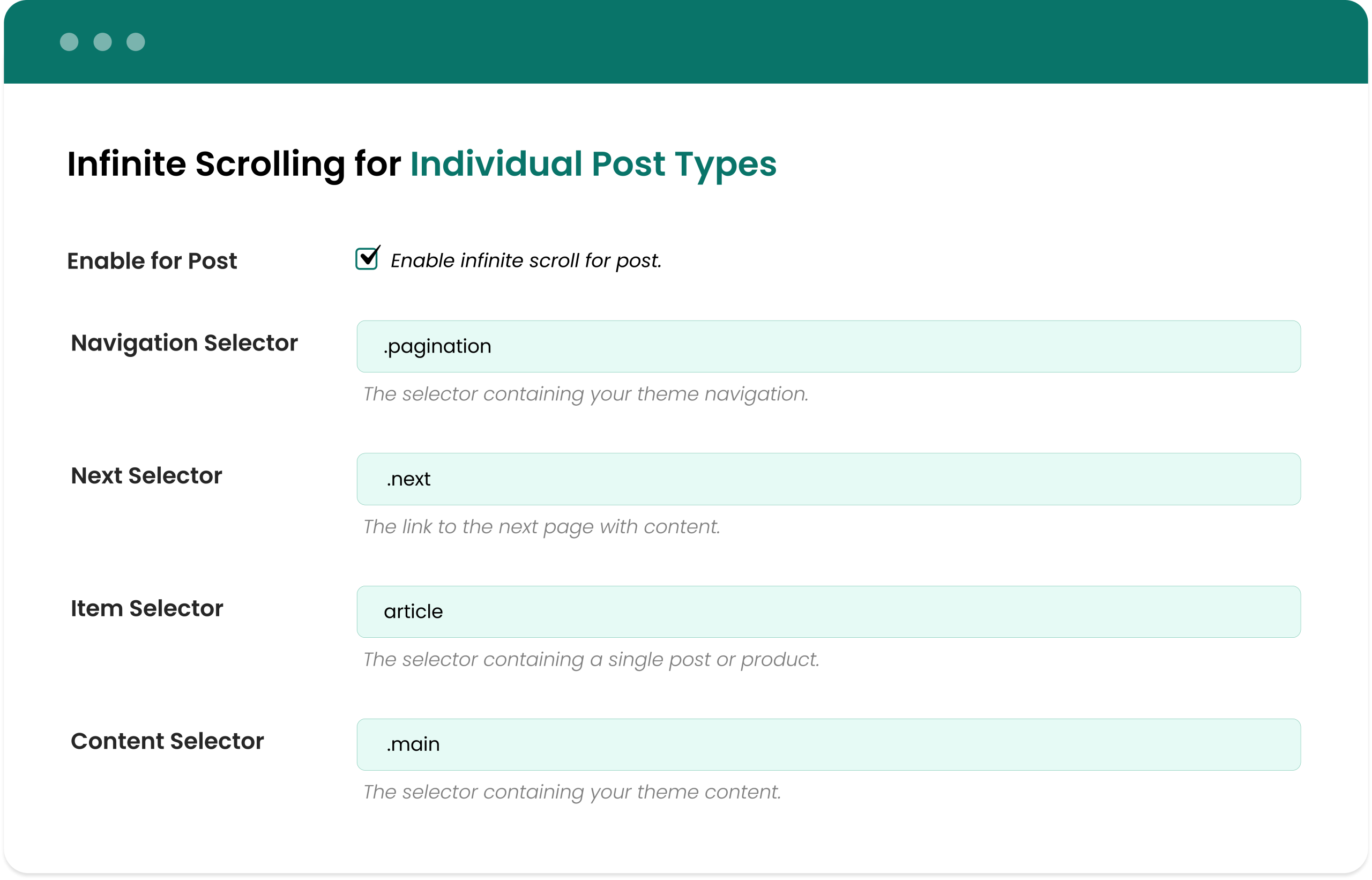
Infinite scrolling is not only limited to products. You can also enable it for specific post types, allowing visitors to browse your store’s content without reloading the page.
Mobile Control & Scroll to Top
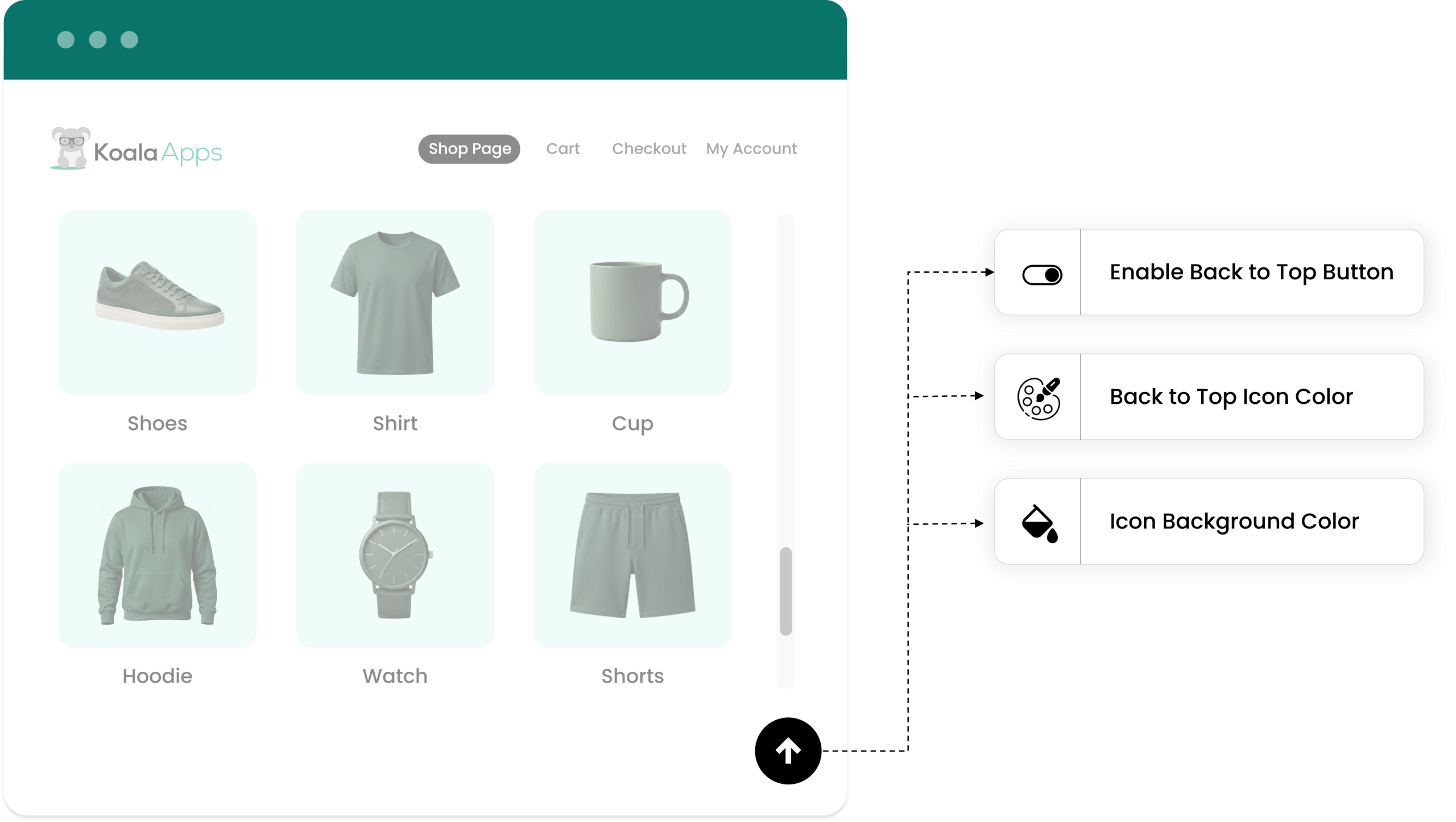
Easily turn off Ajax scrolling on mobile devices and use your theme’s default pagination instead. It also allows you to add a Scroll to Top button so customers can return to the top of long product lists with one click. Moreover, you can customize the button’s background and icon colors to match your store’s theme.
Built-in Analytics for Scroll Activity
WooCommerce Ajax Infinite Scroll offers built-in dashboard analytics that help you to track how customers browse your store. It allows you to monitor scroll events, Infinite Scroll usage, Load More button clicks, and Scroll to Top button clicks. Use these insights to understand how customers browse your store and find ways to improve their experience.
More Features
- Track Infinite Scroll, Load More, and Scroll to Top events through dashboard analytics. (New)
- Enable infinite scrolling for products and individual post types.
- Choose from three AJAX browsing options:
- Infinite Scrolling
- Load More button
- Ajax Pagination
- Choose from multiple loading effects and icons. (New)
- Upload a custom image or icon for the loading product.
- Customize the Load More button by adding
- Background color
- Text color
- Label. (New)
- Exclude specific categories, tags, and pages from infinite scrolling.
- Disable infinite scrolling on mobile devices while keeping your theme’s default pagination.
- Enable and customize the Scroll to Top button for easy navigation. (New)
$49 / year
- Free Installation
- 1 year free support
- 30 day money back guarantee
Technical Info
- Version:1.4.0
- Released:30 December 2024
- PHP version:5.2
- Requires:WooCommerce & WordPress must be installed
Lucy_tech9 –
I no longer have to worry about slow page load times thanks to Ajax Infinite Scroll.
James –
I’ve noticed that since I have installed this plugin on my site, my pages with too many products load faster and look better. I’m so glad to display them.
Elijah –
The plugin works without problems as soon as it is installed and does not burden the site at all. The guide is very clear. Great product!
Oliver Johnson –
I was initially hesitant to switch to an infinite scroll method for product navigation, but the Ajax based pagination option has worked perfectly for my store. It’s easy to set up and has made a noticeable difference in my customers’ browsing experience.
Max Robinson –
Great plugin, does exactly what is says.
Tom White –
WooCommerce Ajax Infinite Scroll has made browsing my store so much more efficient. The endless scroll option means customers don’t have to click through multiple pages to find what they’re looking for, and the plugin seamlessly integrates with my existing pagination settings.