


Shipping Calculator on Product Page for WooCommerce
Easily display the shipping costs before checkout and help customers to make faster, more confident purchase decisions.
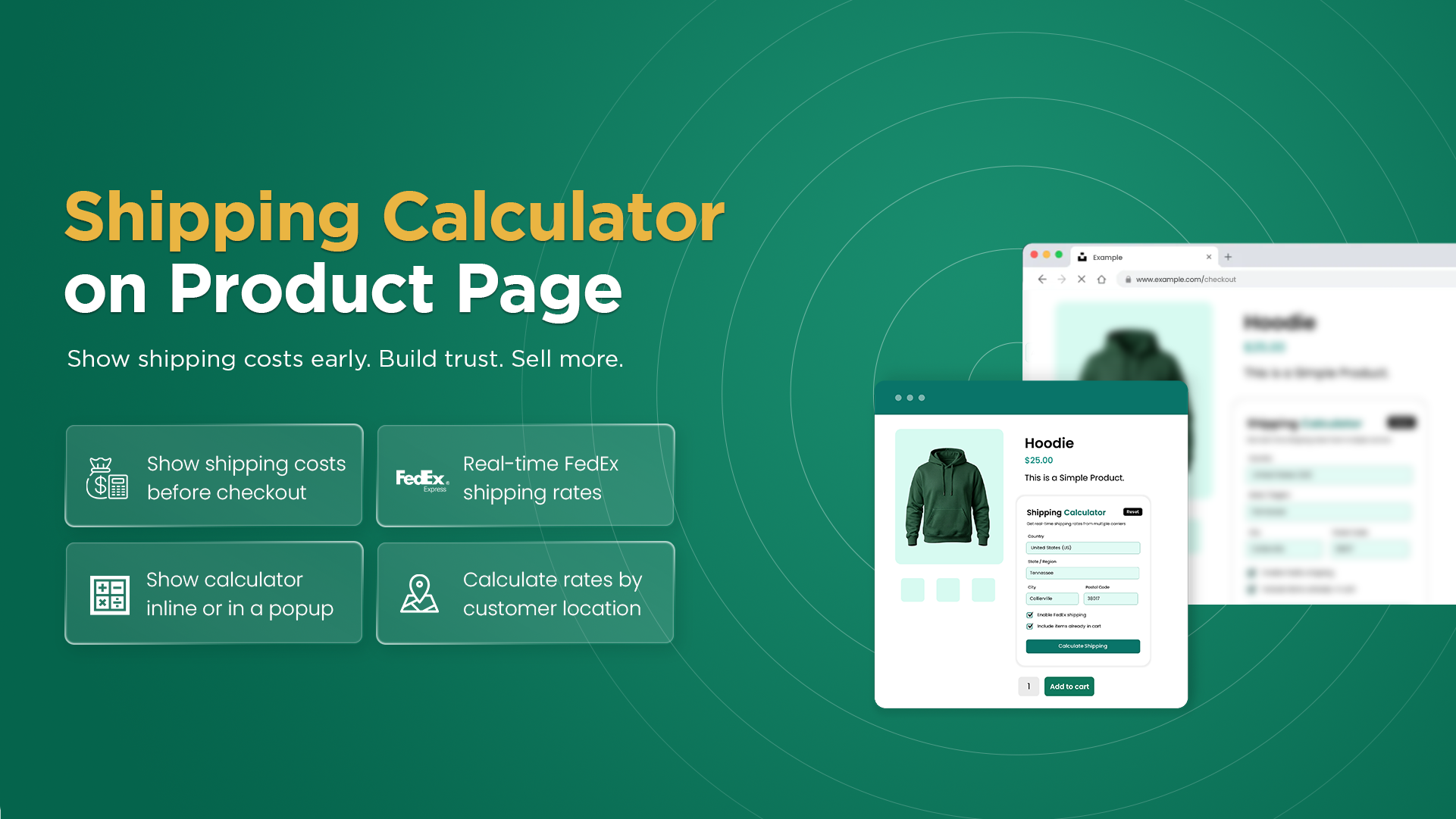
Do your customers want to know their shipping costs upfront before adding products to the cart or completing their purchase? Use the Shipping Calculator on Product Page for WooCommerce to display shipping costs directly on the product page. It allows customers to simply enter their shipping details, select available shipping methods, and calculate estimated charges before adding products to the cart.
It supports shipping cost calculation for both single and multiple products and controls calculator visibility based on specific user roles, products, categories, tags, brands, or product types. Additionally, you can customize its appearance and display position and also choose between popup or in-page display to provide a seamless shopping experience.
Highlights
- View the instant shipping cost estimates directly on WooCommerce product pages.
- Show live FedEx shipping charges before customers purchase.
- Calculate shipping costs for single or multiple products.
- Control access to the shipping calculator by user roles, products, categories, tags, brands, and product types.
- Display the calculator as an in-page section or in the form of a popup.
- Customize the calculator button, colors, layout, and position.
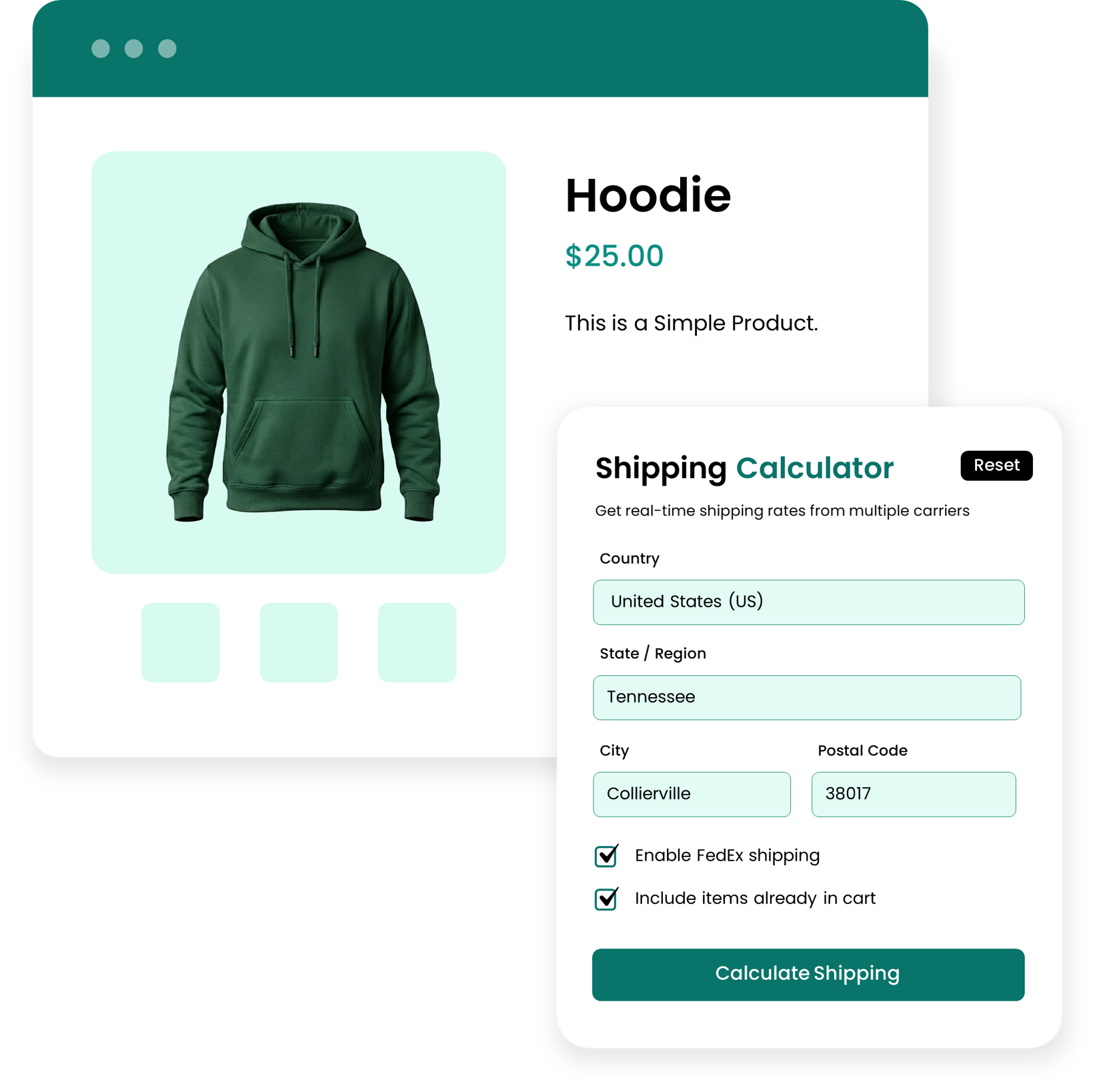
Instant cost estimation with a shipping calculator on the product page
This extension helps customers to check shipping costs instantly before adding products to their cart. Customers can simply choose an available shipping method, and the shipping cost will be calculated automatically based on the provided details and displayed directly on the product page. Moreover, customers can calculate shipping costs for both single and multiple products based on their selected items, helping them understand their delivery charges and make faster purchase decisions.
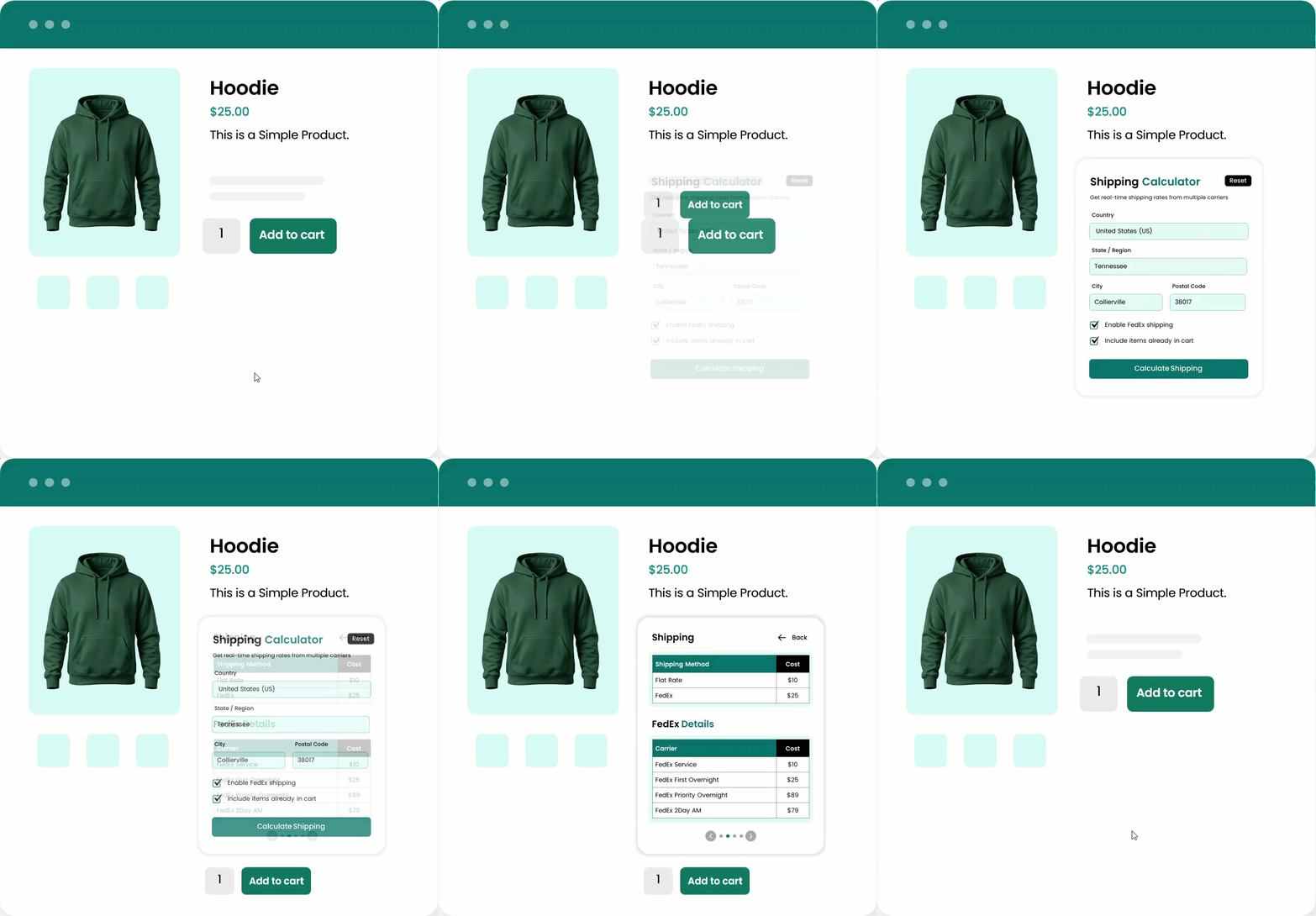
Show Live FedEx charges before the customer buys
Shipping Calculator on the Product Page for WooCommerce gives customers access to live FedEx shipping rates before completing their purchase. Customers can enter their shipping information and select a FedEx shipping service, and the applicable shipping charges will be displayed directly on the product page. Showing shipping costs in advance helps reduce unexpected charges at checkout and creates a more transparent shopping experience.
Complete control over who can see the Shipping calculator
It will give you complete control over who, exactly where, and whom will view the shipping calculator. With this, you can restrict the calculator based on specific user roles, products, product types, categories, tags, and brands. This gives you greater control over your store and allows you to display shipping calculations only where they are needed.
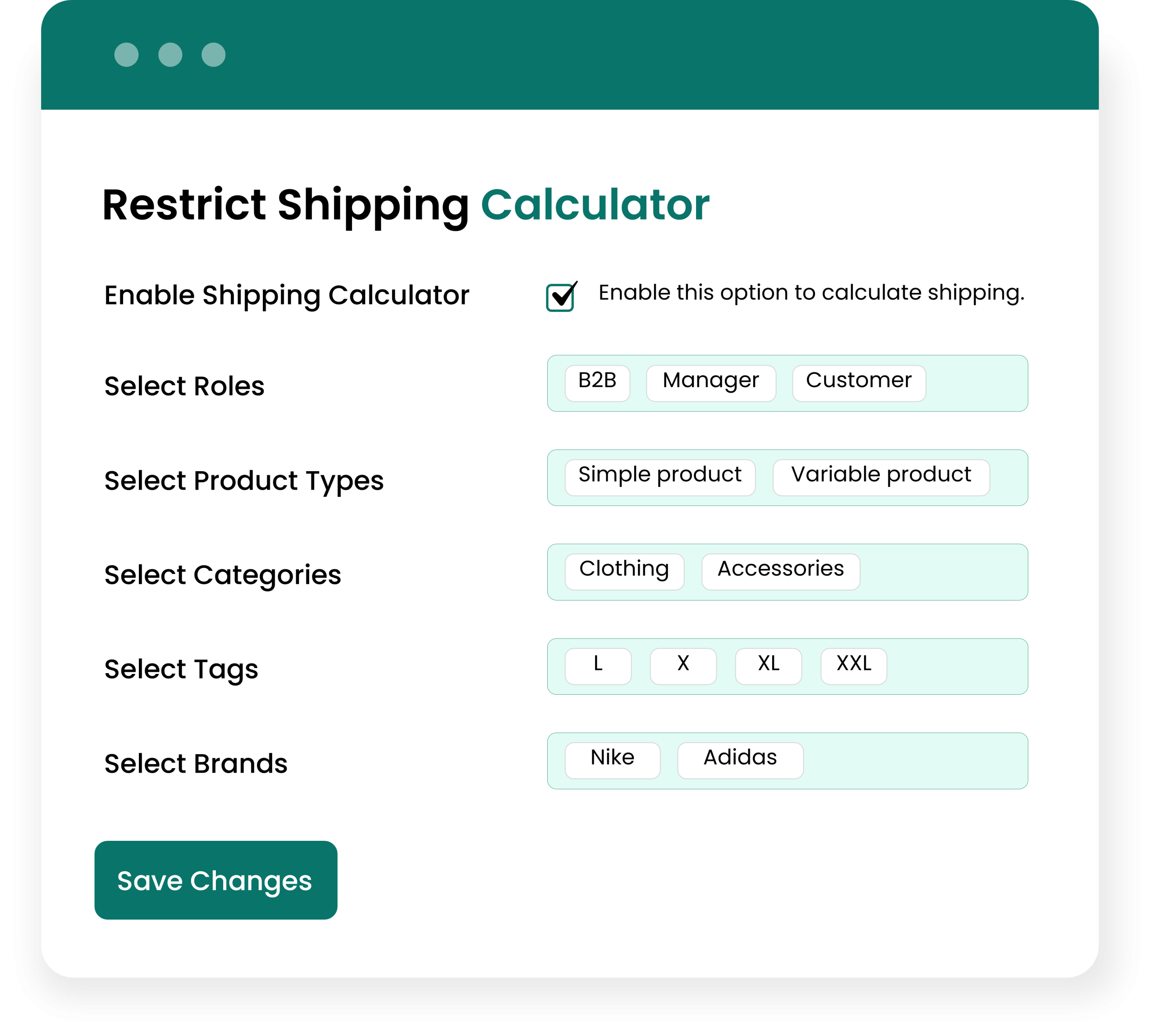
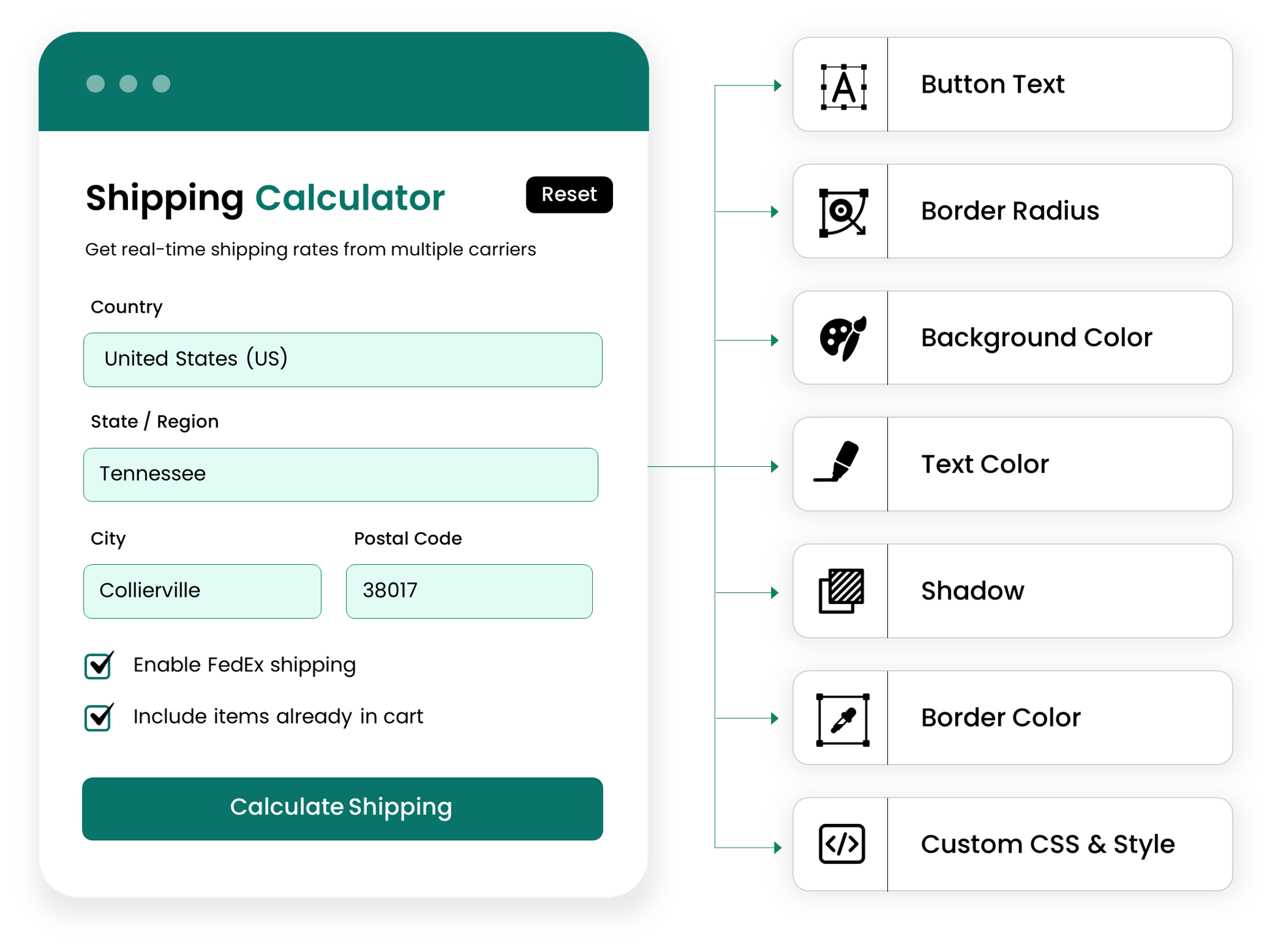
Customized the Calculator to Match Your Store
The Product Page Shipping Calculator for WooCommerce allows you to customize your shipping calculator to match your store theme. With this, you can add custom button text, colors, text color, border radius, calculator box, border, and shadow to match your branding. Additionally, you can also add custom CSS for additional styling and create a consistent shopping experience across your WooCommerce store.
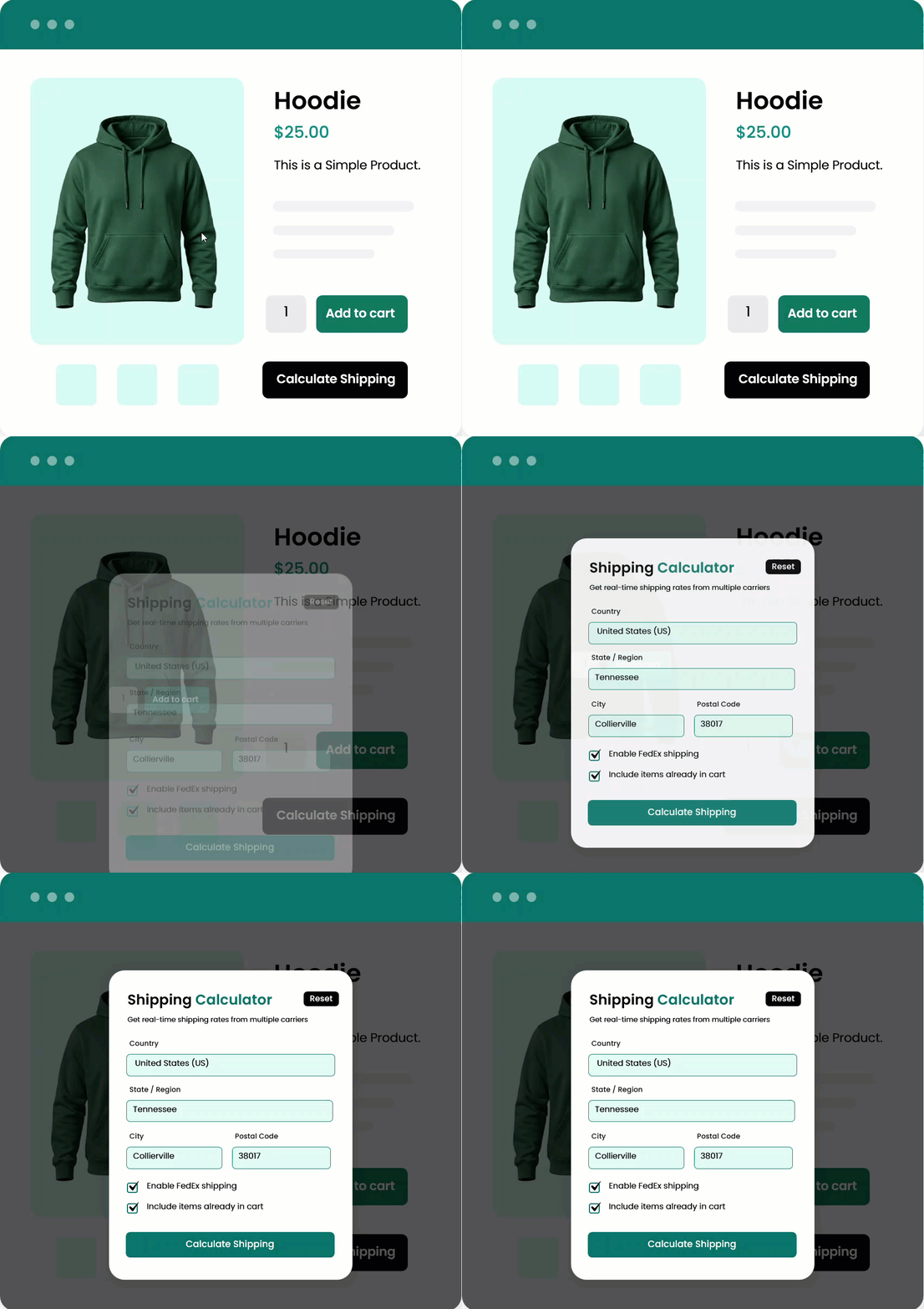
Display the Shipping Calculator as a Popup or In-Page
With Shipping Calculator on Product Page for WooCommerce, you can choose how customers access the shipping calculator based on your product page layout. You can display it directly on the product page for quick access or open it in a popup when customers click the calculator button. This flexibility gives you flexible shipping information without making your product pages look crowded.
- User Role
- Product
- Product Type
- Category
- Tag
- Brand
- In-Page
- Popup
- Button Text
- Text Color
- Background Color
- Border Radius
- Text Color
- Background Color
- Border Color
- Box Shadow
- Above Add to Cart
- Below Add to Cart
- Above Product Description
- Add FedEx account number
- Configure REST API Key and Secret for secure authentication
- Retrieve live FedEx shipping rates by adding a production API key
- Select the Box Packer Library.
- Enable FedEx LTL for Freight shipping.
- Enable Debug Mode for troubleshooting and API diagnostics.
$29 / year
- Free Installation
- 1 year free support
- 30 day money back guarantee
Technical Info
- Version:1.0.0
- Released:
- PHP version:5.6 & above
- Requires:WooCommerce & WordPress must be installed
Product ScreenShots
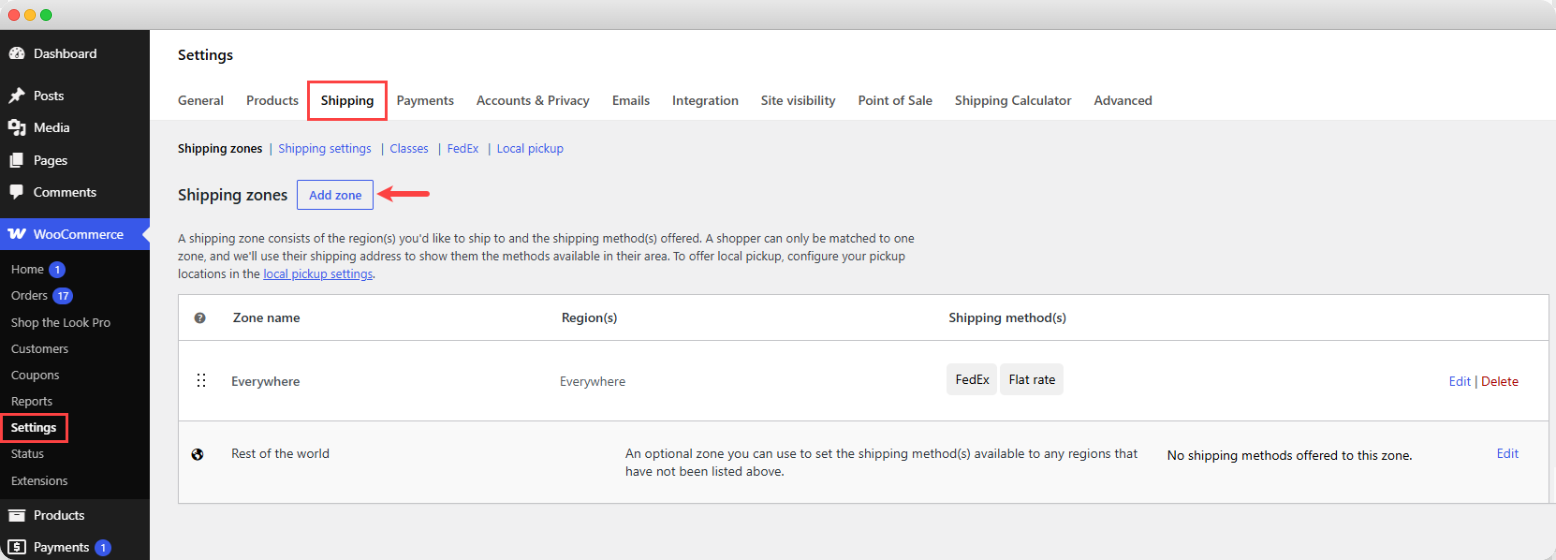 Add New Shipping Zone
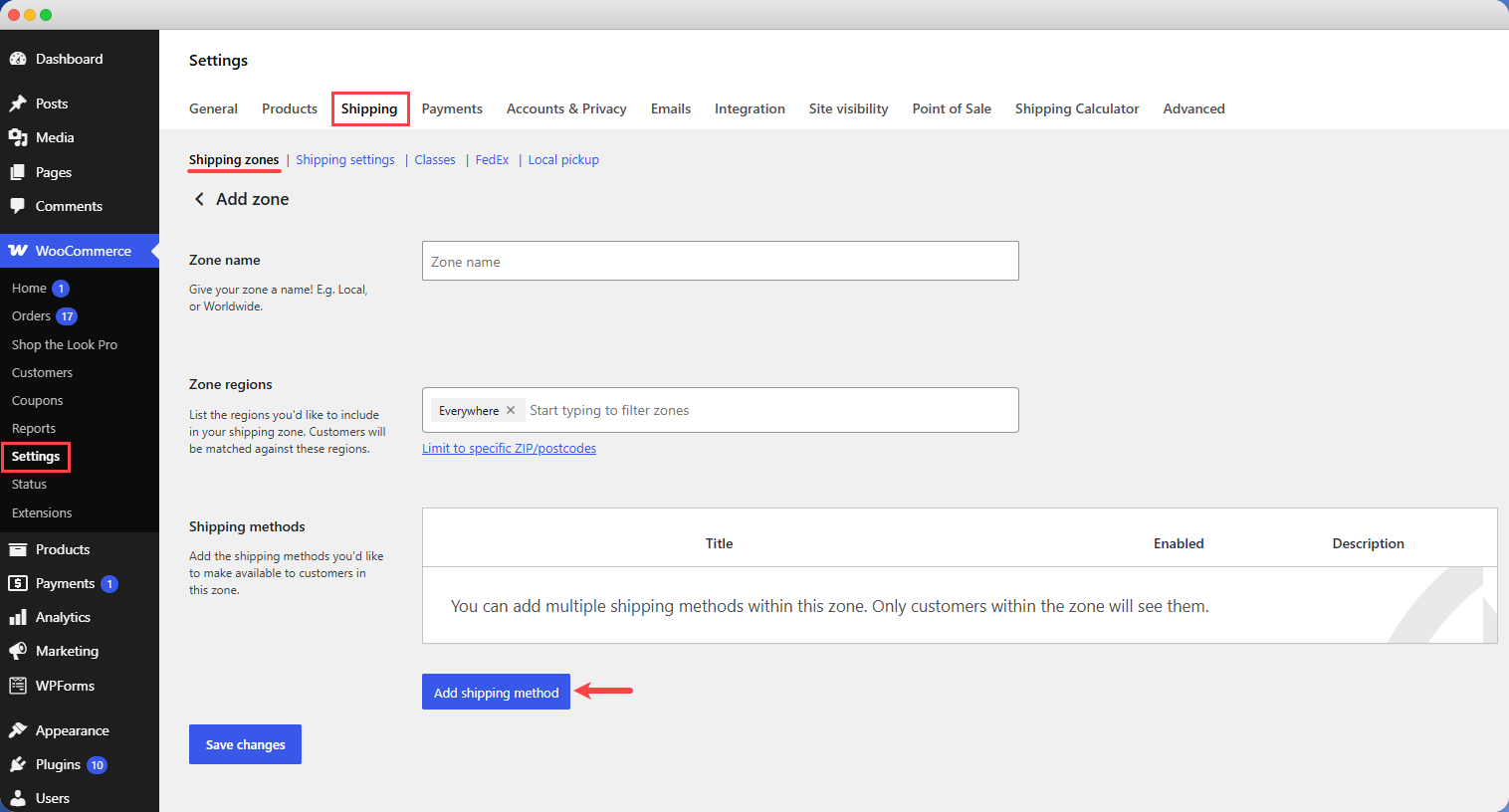
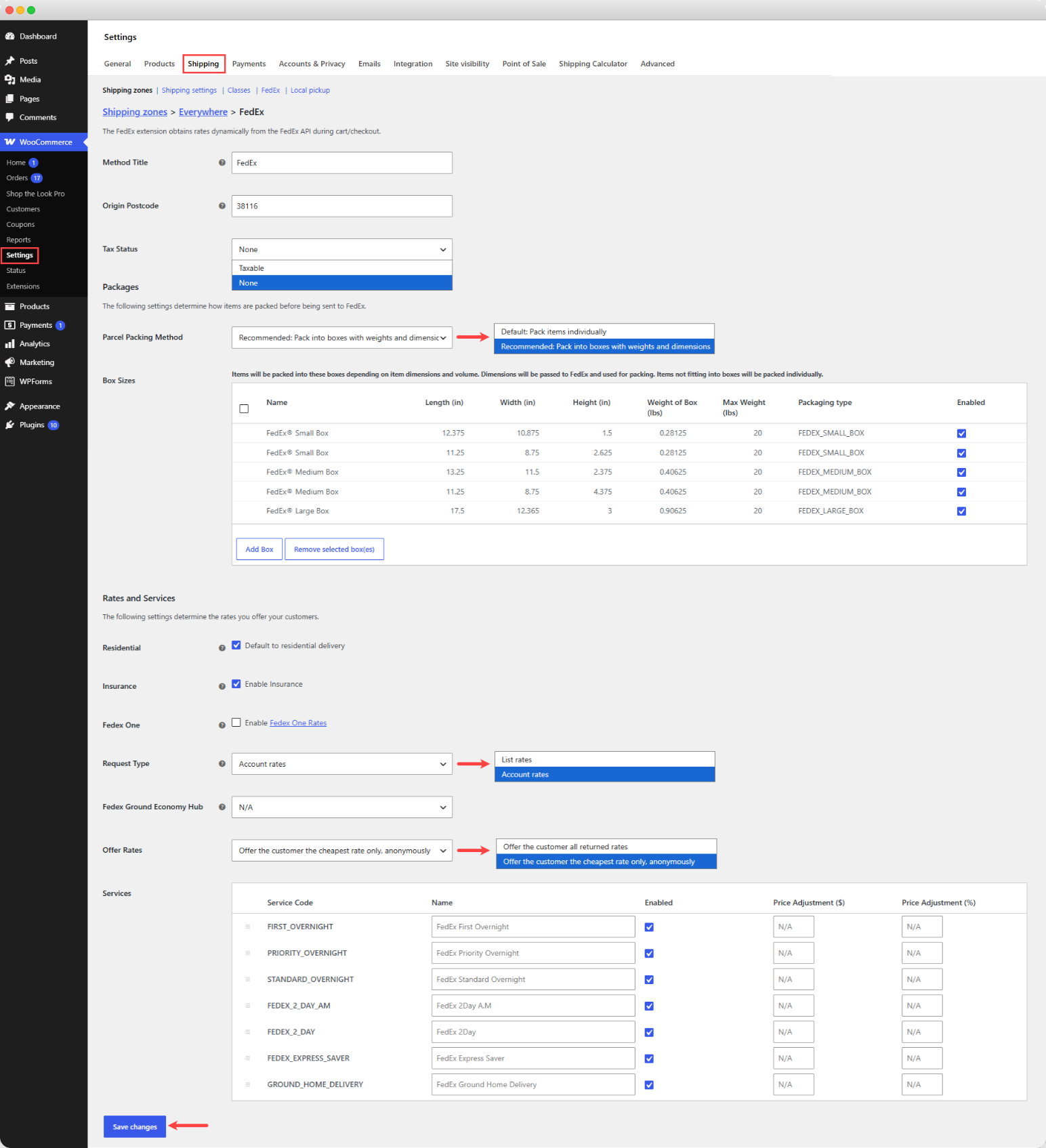 FedEx Shipping Settings
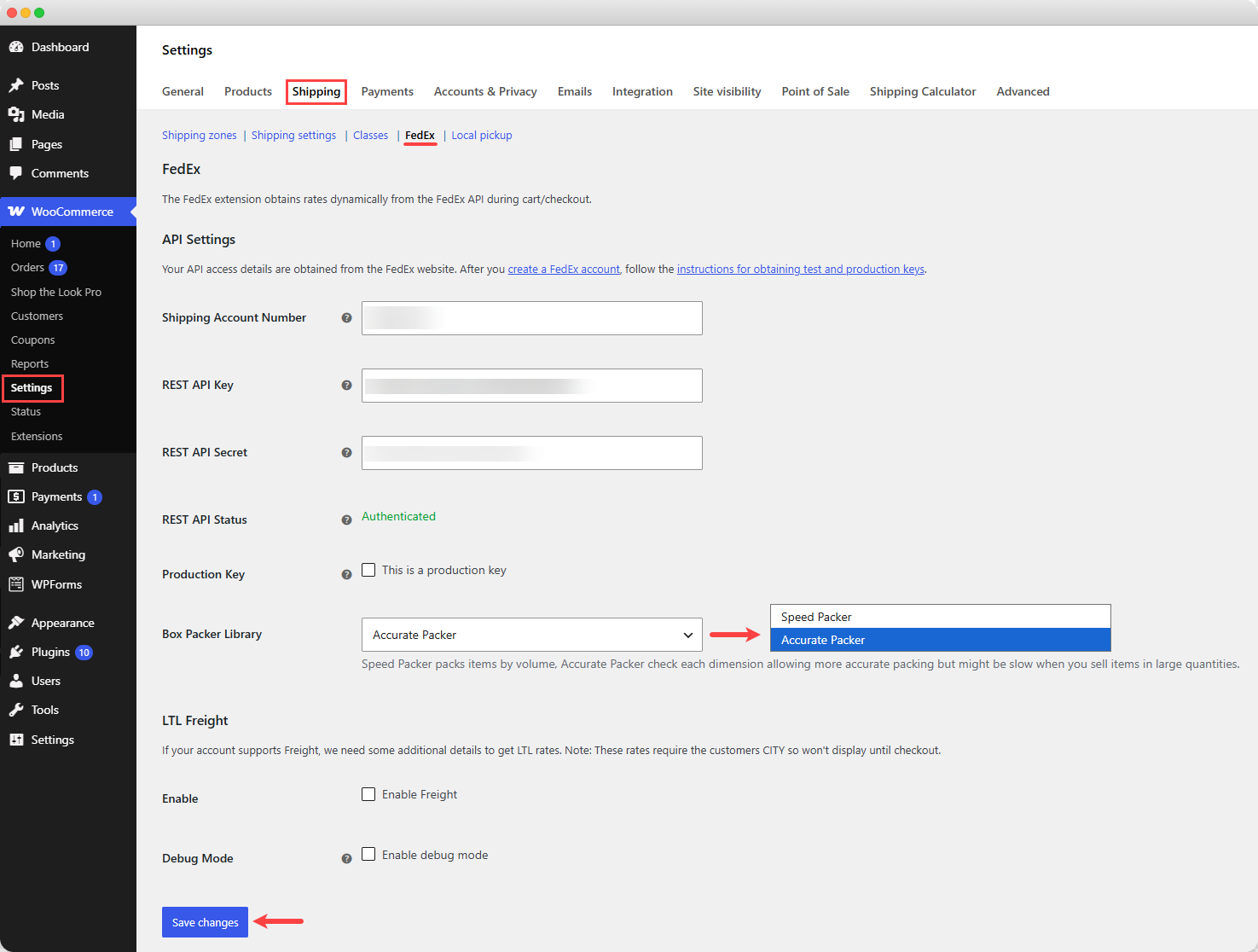 FedEx API Key Settings
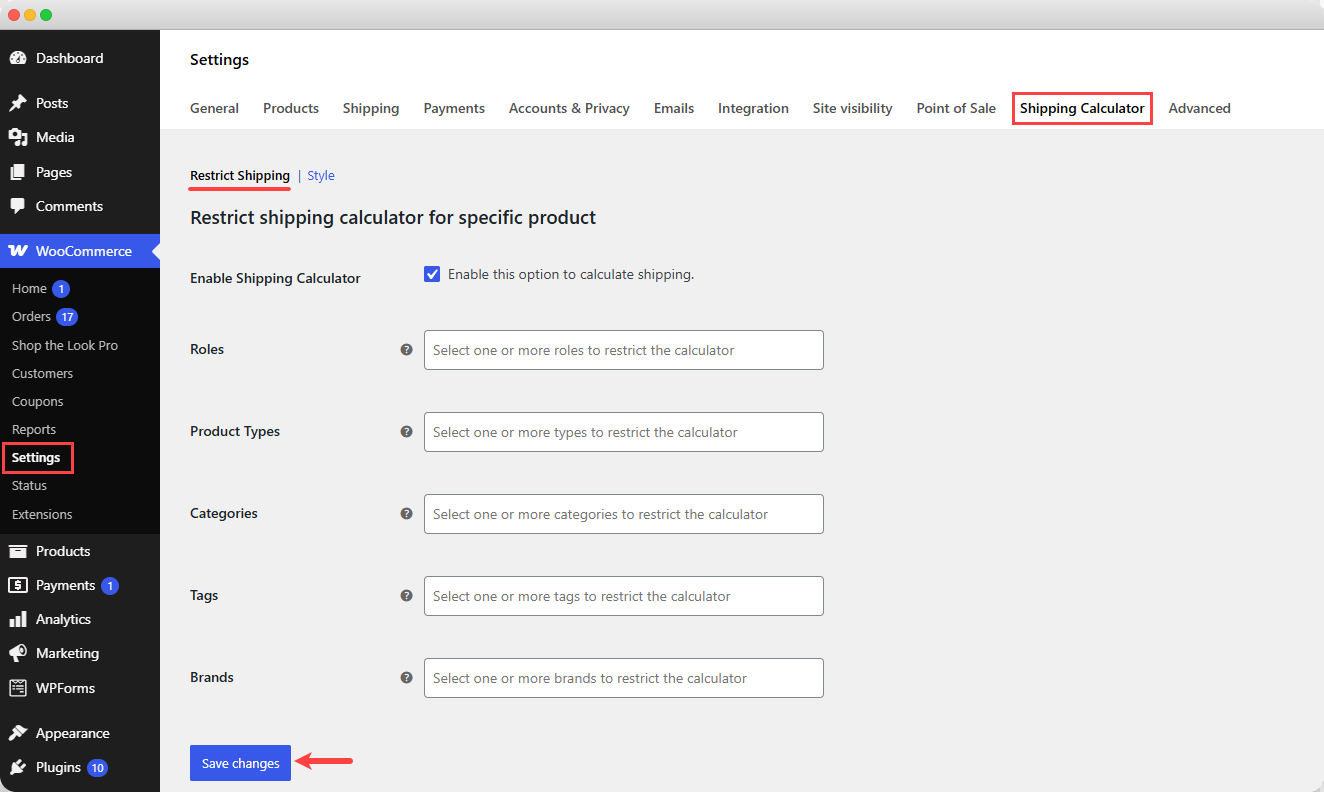 Restrict Shipping Calculator for Specific Product
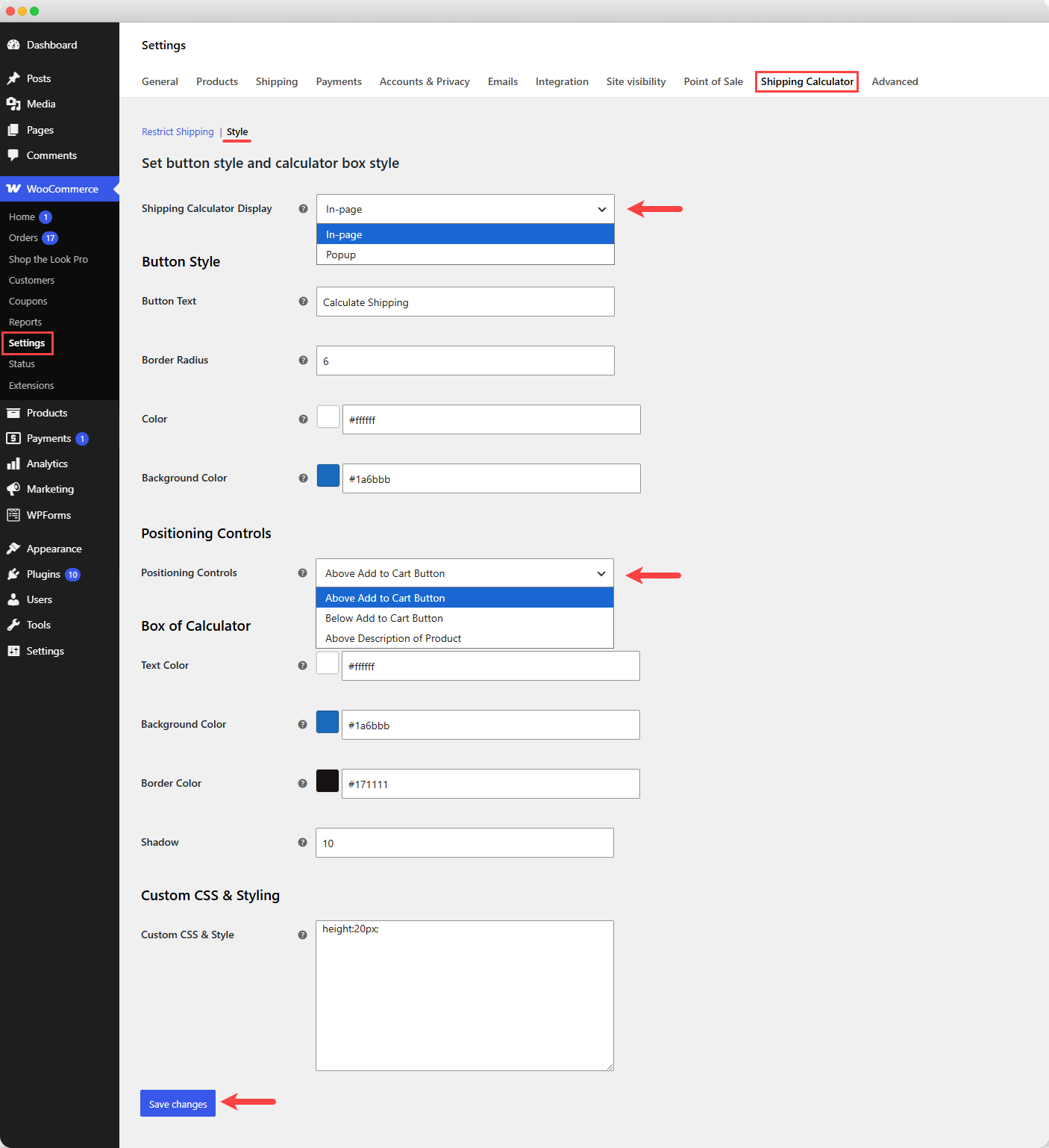 Calculator Button & Box Style Setting
Reviews
There are no reviews yet.